
Section pack for Shopify · In Ukrainian
SHio Sections
Add 8 ready-made sections in Ukrainian to your existing store — no theme change and no app.
249 UAH
One-time payment · licence for one store
The texts, images and products in the demo are samples only. The store is published in your name, and responsibility for everything on it is yours alone, not SHio's. Details in our terms
How it looks
Screens of the sections in a test store, with sample texts. Click a screen to enlarge it.
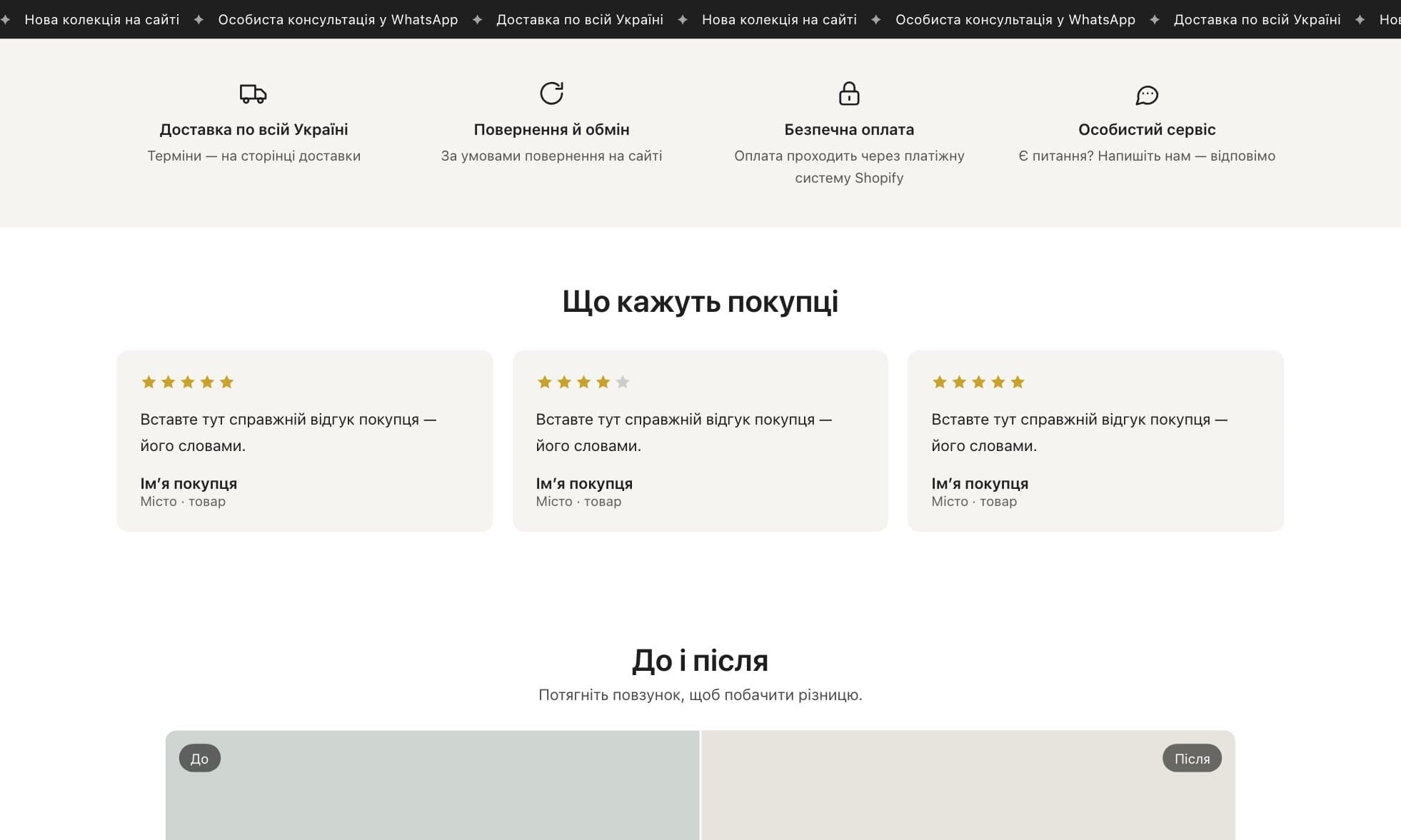
Scrolling text bar
A small announcement bar. Between phrases — ✦ or your own sign.
Benefits bar
Delivery, returns, payment, service — up to 5 benefits with icons.
Customer reviews
Cards with a rating, a name and a photo. The text here is a placeholder for your real review.
Before / after
Drag the handle to see the difference. «Before» is on the left.
FAQ
Questions open on click. Add and remove them in the editor.
Size chart
On the page, or as a button that opens a window on the product page.
Sale countdown
Days, hours, minutes and seconds to your date, on Kyiv time.
WhatsApp about the product
On a product page the message already has the name and link. Can also float in a corner.
What is inside
- FAQ — questions that open on click, work with a keyboard and a screen reader
- Customer reviews — with a photo, a name and star rating, 1 to 4 per row
- Before / after — two photos with a drag handle: mouse, finger and keyboard
- Scrolling text bar — small and clean, stands still for visitors who asked for less motion
- Size chart — on the page, or as a button that opens a window on the product page
- WhatsApp about the product — the message already includes the product name and link
- Benefits bar — delivery, returns, secure payment and more, 9 icons to choose from
- Sale countdown — counts to a real date on Kyiv time and never restarts
- Every text, photo, colour and spacing is changed in the Shopify editor, no code
- No app and no monthly subscription: the code becomes part of your theme and stays there
From purchase to a live store
- PayAdd the pack to the cart, enter your email and place the order. One-time payment, final price.
- Download the fileAfter payment you get an email with a download button. In the ZIP: 8 section files, a guide in Ukrainian and the licence. Nothing arrived? Check your spam folder.
- Back up your themeIn Shopify Admin: Online Store → Themes, next to your theme ⋯ → Duplicate. Now you have a saved copy.
- Add the files⋯ → Edit code → in the sections folder click Add a new section, enter the file name and paste its content. Repeat for every section you want.
- Put them on a pageIn Customize click Add section and search for SHio. On a product page — the size chart and WhatsApp, right under the product info.
- Change without codeTexts, photos, colours and spacing — in the editor panel. The licence covers one store; the rights in the code stay with SHio.
- Stuck? We're hereWrite to support@shio.co.il or on WhatsApp with your theme name and a screenshot — we'll help you install it.
Good to know
The sections were tested on Shopify's Dawn theme and work in Online Store 2.0 themes. Every theme styles headings and fonts its own way, so small differences in look are possible.
Installing means pasting a file into Shopify's code editor — about 2 minutes per section, following the guide in the ZIP. Duplicate your theme as a backup first.
The texts in the sections are samples. Publish only real reviews, with the customer's consent, and in the benefits bar and the sale countdown write only what is true for your store. The store is published in your name and you are responsible for its content.